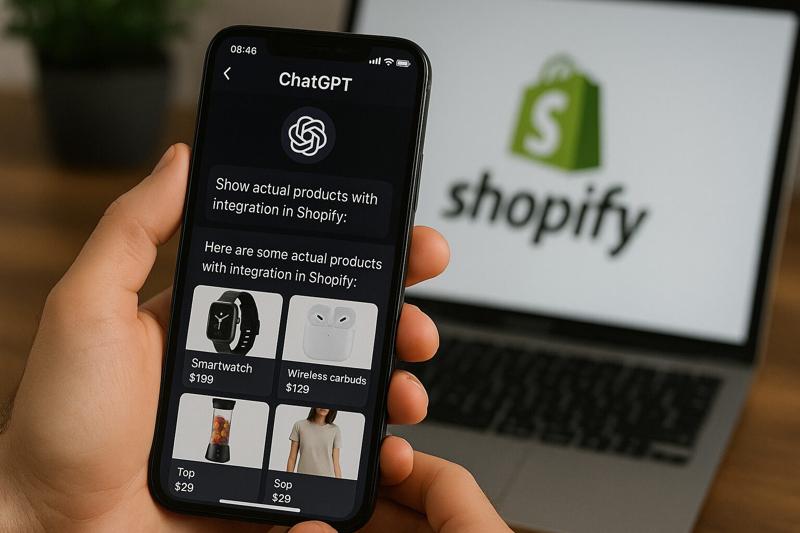

Ask a friend where they found their last pair of sunglasses and there is a growing chance the answer isn't Google. They typed something like "lightweight polarised sunglasses under €100 that don't look sporty" into ChatGPT, Gemini or Perplexity, got three names back, and clicked one. No ten blue links, no scrolling through ads.
Most store owners we speak to know this is happening. Very few know what they are supposed to do about it. The usual reaction is either panic ("we need a GEO agency") or denial ("it's less than 1% of our traffic"). Both miss the point.
Here is what we have learned from looking at how AI assistants actually find, read and recommend Shopify products, and the jobs that are worth doing this month. Some of it Shopify already does for you. Most of it, it doesn't.
1. AI traffic to Shopify stores: what the data says
Let's start with the honest version. AI assistants still send far fewer visitors than Google. Shopify itself says organic search refers more sessions to merchants than all the AI platforms it tracks combined. So no, this is not the end of SEO.
But the trend line is steep. In the first quarter of 2026, Shopify reported that sessions referred by AI tools were up more than 8x year on year and AI-referred orders were up nearly 13x, while same-store organic sessions grew roughly 5%. By the second quarter, AI-referred sessions were up 197% year on year against 12% for organic search, and AI-referred orders had roughly tripled.
The quality of that traffic is the bit that should get your attention. Among sessions that landed on a product page, AI-referred shoppers converted nearly 50% better than organic search visitors in Q1, beat organic in 23 of 25 categories, and spent 14% more per order. In Q2, Shopify put the gap at about 80%. For apparel specifically, AI traffic converted around 1.6x better than organic, and spec-heavy categories such as watches came in at roughly 2.4x. We read these as observed channel differences, not proof that AI itself causes the extra sales: people who arrive from an AI answer have often already made up their mind.
Adobe sees the same pattern across US retail. In August 2026, AI-referred visitors converted 48% better and generated 43% more revenue per visit than non-AI visitors, and Adobe forecasts that AI-referred traffic to US retail sites will grow 130% year on year over November and December (Adobe 2026 Holiday Forecast). In its September survey of 5,000 US consumers, 77% of those using AI for online shopping said it made them feel more confident about a purchase. Those are US market figures, not a prediction for your store, but Europe is not far behind: Eurostat reports that nearly one in three people in the EU used generative AI tools in 2025. That is general use, not shopping, but it tells you where the habit is heading.
One more number worth remembering: more than half of AI-referred sessions start on a product page, compared with about 20% for organic search. The AI has already done the browsing. Your product page is now the landing page, and it either closes the sale or it doesn't.
A caveat before anyone builds a business case on these figures. Referral reports don't capture every AI-assisted journey. Google's AI Overviews and AI Mode traffic is reported as organic search, and links opened from apps can arrive with no referrer and land in "Direct". So treat whatever your analytics shows as an incomplete view, not the whole picture.
2. How AI assistants find Shopify products
This is the part most founders we talk to get wrong, so it is worth being precise. It helps to think of two layers: what Shopify sends to AI channels for you, and what you have to earn on the open web.
Layer one is the feed. In March 2026 Shopify rolled out Agentic Storefronts, which connects eligible stores to AI shopping channels from one place in the admin. Shopify Catalog supplies your structured product data (titles, descriptions, prices, stock, variants, categories) to channels such as ChatGPT and Microsoft Copilot, and keeps it updated. Google AI Mode and Gemini take a different route: your products need to be in Google Merchant Center, usually through the Google & YouTube app (Shopify Help). Orders that come through show up in your admin with the AI channel attached. Eligibility, and whether checkout is available, varies by channel, so check each one rather than assuming you are everywhere.
Layer two is the web. When someone asks which Spanish swimwear brand suits curvier bodies, the answer can draw on product data, but also on web pages, reviews, press, Reddit threads, retailer listings and the shopper's own context. OpenAI says as much: its shopping results combine structured metadata with third-party content. Shopify gives you a decent technical base here (bot management handled for you, auto-generated discovery files and structured product data), but the useful product detail, credible claims, reviews and wider reputation are on you.
A simple way to think about it: the feed helps you win "navy linen shirt, size M, under €80". The web goes a long way towards deciding whether you are the brand that gets named when someone asks for a recommendation. The assistant can use both, but being in the feed on its own doesn't make the AI recommend you.
If you are a European brand, there is one more distinction worth getting straight: where your business is based and where your customers are are two different questions. OpenAI moved away from standalone Instant Checkout in March towards sending shoppers to merchants' own sites and apps. Shopify's ChatGPT channel accepts stores based outside the US, including Spain, as long as they sell to US customers (Shopify Help). Google AI Mode is available in Spain, but Shopify currently lists direct checkout through Google for customers in the US, Canada and Australia only. So for shoppers in Spain and most of Europe, the near-term game is discovery, not checkout inside the chat. (We covered the checkout side in our piece on Shopify WebMCP and AI agent checkout.)
3. Set up Shopify Catalog and Agentic Storefronts properly
Shopify's own data makes the case here. In Q2, AI-referred shoppers whose product data came through structured Shopify Catalog data converted about 2x better than those relying on scraped or third-party feeds. That is a correlation, not a promise that fixing your feed doubles sales overnight, but it is a strong hint that clean data is no longer just admin hygiene.
Start in Sales channels > Agentic in your admin. Check that the AI channels are on, that Catalog access hasn't been removed, and that the storefront isn't in private mode. Products that are unlisted, hidden from search engines or B2B-only are left out (Shopify Help), which catches more stores than you would expect. Since the Fall '26 Edition in October, Shopify also shows Catalog eligibility diagnostics, so you can see which products aren't making it through and why.
Then fix product categories. Every product should sit in the right node of Shopify's Standard Product Taxonomy, and the category metafields that come with it (colour, material, fit, size, pattern and so on, depending on the category) should be filled in. This is how an agent can turn "dark purple running shoes" into structured attributes and find a match. If you use creative colour names like "Ocean Mist", link each one to a standard colour such as Blue and keep a plain description of the colour in the product text too. Shopify doesn't publish exactly which value each AI partner receives, so cover both.
Variants are where fashion stores get messy. Colours split into separate products, sizes named three different ways, "Color" on half the catalogue and "Shade" on the rest. Shopify's Catalog mapping tools let you check how products and variants are grouped, choose which fields (including metafields) feed the title and description, and flag duplicate option combinations. Spend half an hour in that preview with your best sellers. While you are there, archive ghost products that are drafts or permanently out of stock.
Finally, publish your knowledge base. Under the same Agentic section, Shopify can draft store facts from your storefront (shipping, returns, sizing, materials), but agents only receive the facts you have reviewed and published. It is easy to leave a draft sitting there unpublished. Ten minutes of checking and publishing is one of the cheapest wins in this whole article.
4. Check AI crawlers, indexing and product schema
This is the section we wish more store owners read, because none of it is expensive and, in our experience, most of it fits into an afternoon.
Register with Bing Webmaster Tools and submit your sitemap. Most of the Shopify brands we look at have Google Search Console set up and have never touched Bing. Bing's index and grounding systems feed Microsoft Copilot and other AI experiences, so it is worth making sure your product and collection pages are in there. It is not the only route into an AI answer, but it is a cheap one to cover. You can import your Search Console setup in a couple of clicks, then submit /sitemap.xml. Once you are verified, the AI Performance report shows how often your pages are cited across supported Microsoft AI experiences and sample queries that triggered them. Treat it as a citation report rather than a ranking.
Turn on IndexNow. IndexNow lets you notify participating search engines, Bing included, when a product URL changes, instead of waiting for them to notice. It can help them pick up new prices, stock and drops sooner. It won't force an instant re-index or an instant change in an AI answer, but for a store that updates often it is a sensible default.
Check your robots.txt. OpenAI runs separate bots for separate jobs. Blocking GPTBot only opts you out of model training. Blocking OAI-SearchBot opts your pages out of ChatGPT search answers (navigational links can still appear), which is almost never what a store owner wants. ChatGPT-User is different again: it handles visits a user asks for, and robots.txt may not apply to it. None of these settings switch off your Shopify Catalog feed. Make sure OAI-SearchBot, PerplexityBot, Bingbot and Googlebot can reach your product pages, and if someone edited robots.txt.liquid years ago "for SEO", check it again.
Watch your geo-redirects and bot apps. Shopify handles bot management at the network level on hosted stores, but third-party redirect and protection apps can still get in the way. Multi-market stores that force-redirect every visitor by IP can send crawlers round in circles. Let verified crawlers through and don't geo-redirect them.
Make sure the important stuff is in the HTML. Google can process JavaScript, but plenty of other fetchers are less patient. If your product description, reviews or size guide only appear after an app script loads, some AI tools may never see them. View the page source, not the rendered page, and check.
Check your structured data. Look at what your theme and apps actually output, not what you assume they output. For products with variants, Google's guidance is to describe the parent as a ProductGroup and each variant as a Product with its own Offer, with accurate identifiers (SKU, GTIN), price, currency and availability, plus colour, size and material. Your category metafields are the natural source for those attributes. Add shipping, returns and review data where it applies, and add Organization schema with links to your social profiles so mentions of your brand connect to the right company. Then look for conflicts: theme schema and app schema disagreeing on price or stock is a common mess, and that is what we would fix first. One honest caveat: Google says there is no special schema for its AI features. Good markup helps machines read your products accurately. It won't buy you a place in an answer on its own.
Don't pay for an llms.txt app. It gets talked about a lot, but Google says llms.txt neither helps nor harms visibility in Google Search, and Shopify already serves /llms.txt, /llms-full.txt and /agents.md files for you automatically (Shopify Help). They don't replace Catalog or the usual SEO work, so it is not where your time should go.
5. Improve product content, reviews and brand mentions
Technical access gets you into the room. Whether the AI names you comes down to what is written on your site, and even more, what is written about you elsewhere.
Write product pages that answer questions. Who is it for? How does it fit? What is it made of? How do I care for it? How does it compare with the other two pieces it gets confused with? AI assistants pull exactly these answers, and a 40-word description with "elevate your wardrobe" gives them nothing to work with. Put shipping times, costs per country and your returns window on the product page in plain text, and make sure reviews render as real text rather than only inside a widget.
Publish the pages people ask AI about. Buying guides, "how to choose" pages, fit guides, materials explainers, honest comparisons between your own products. These are the pages assistants quote when they build an answer, and they are the pages most fashion stores never write. A brand facts page also helps: where you are based, where things are made, certifications and sustainability claims with proof behind them.
Get talked about where people actually look. Assistants combine your own product information with reviews, editorial coverage and other third-party content. OpenAI lists both structured metadata and third-party content among the inputs to its shopping results, and Google's AI guidance rewards genuine mentions while warning against manufactured ones. So rather than chasing a list of supposedly favoured websites, work on the places your customers already read:
- editorial "best of" roundups and press coverage, including local and niche titles
- presence on retailers and marketplaces you already wholesale to
- creators and YouTube reviews that name the product clearly
- real participation in communities like Reddit (answering threads, not astroturfing them)
Genuine coverage and links also help search engines find and trust your pages, which matters because those pages are often what an assistant ends up reading. In practice, good digital PR now does double duty.
Accept that it moves. The sources AI cites change quickly from one month to the next. Treat this like CRO: a monthly loop of checking, fixing and checking again, not a one-off project.
6. Track AI visibility, traffic and sales
You need two views, one for each layer.
For the feed, open the Agentic report in your Shopify admin. It shows sessions, orders, sales and conversion by AI channel (it isn't available for headless stores). One warning before you read any trend: Shopify changed how it measures sessions in September and how it classifies referrers and marketing channels in October 2026. Note those dates, or you may credit your own work for a jump that is really a reporting change.
For the web, use Bing's AI Performance report for citations (October's Topics Portfolio beta adds topic clusters and queries where other sites get cited instead of you), and Google Search Console's generative AI performance reports for impressions and pages in Google's AI features. Since 10 November, verified businesses can also claim their listing in the beta of OpenAI's Business Hub, update their information and product feeds, and see insights on mentions and website clicks from ChatGPT. Keep your normal referral reporting alongside all of this: being mentioned and getting visits are different things.
Then do the low-tech thing that tells you the most. Write down the 20 questions a real shopper would ask about your category and run them in ChatGPT, Gemini, Perplexity and Copilot once a month. Record the country, language, assistant and date, and repeat the same questions each time rather than treating one answer as a ranking. Note separately whether you were named, whether one of your pages was cited, whether a product showed up, and whether anyone clicked. They are four different outcomes.
Final thoughts
Shopify has done a lot of the plumbing. Eligible products can reach the main AI shopping channels through Shopify's integrations, though it is worth checking each channel's requirements and your actual Catalog status rather than assuming. But the feed only gets you considered. Getting recommended is earned the old-fashioned way: a site that machines can read, pages that answer real questions, and other people saying good things about you in places that matter.
The good news is that the first round of work is small. Bing Webmaster Tools, a robots.txt check, clean categories and variants, a published knowledge base and tidy structured data are, in our experience, a couple of weeks of work for most stores. If you want a second pair of eyes on where your store stands, our Shopify AI consultancy team runs exactly this kind of review. Get in touch and we'll tell you what we'd fix first.